Digital Transformation and Design System

Corodata is an information management company that sought Digital Meaning agency for a digital transformation. They wanted to consolidate their separate mobile and desktop website into one fluid responsive experience. They also wanted to offload phone requests by creating a customer-friendly online experience.

Problem
How can Corodata maintain a cohesive online brand and increase their form engagements?
Role
UX Designer / Project Manager
Solution
To create a responsive web experience that caters to the needs of both new and returning customers.
Team
Pauline Kalil (Strategic Lead)
Choi Chow (Marketing)
James Wagoner (Dev)

Research

The previous website was built for more informational services and generating organic traffic through content marketing and SEO. Since most of the transactions were done through phone, there was little emphasis on creating an online customer experience.
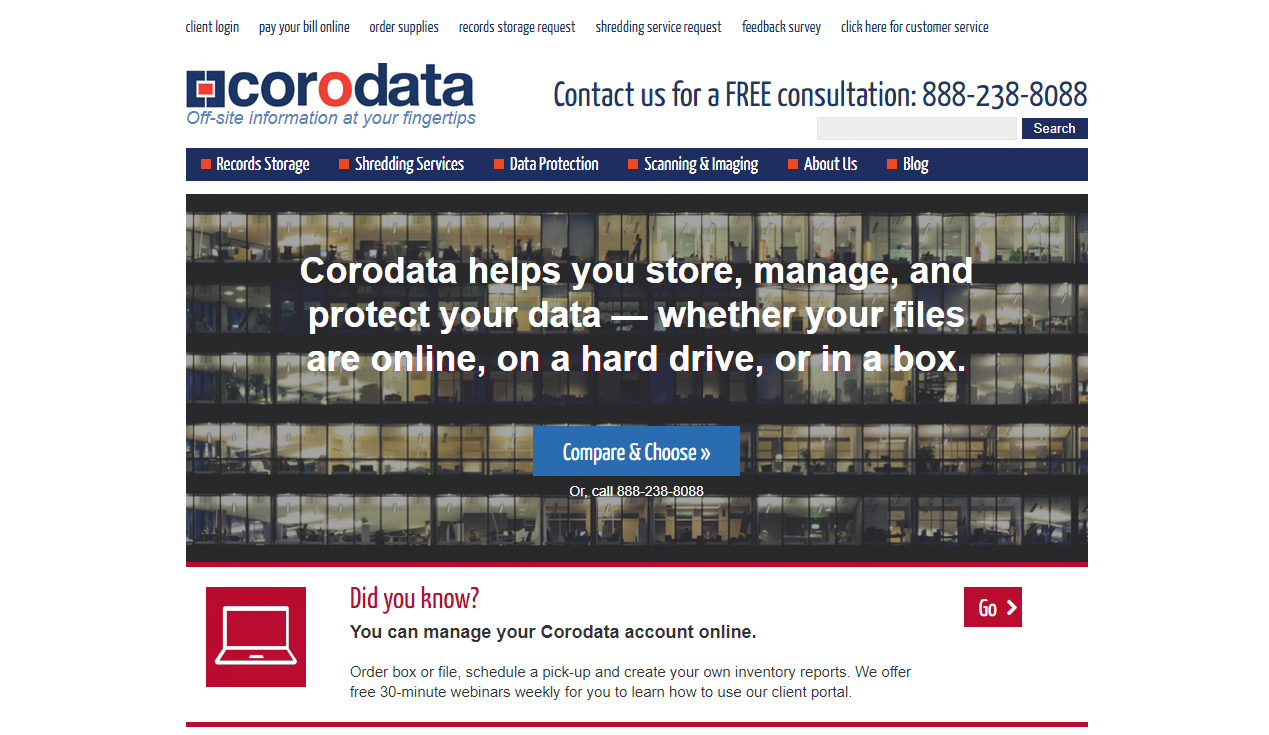
Screenshot of the old Corodata homepage, built primarily for informational content and SEO with minimal emphasis on online customer transactions or self-service

Supply and Services Request Form

Problem

I did a UX audit on their form and found the following problems:

  1. The purpose of the page looks to inform customers about their products, instead of ordering supplies, which is the main objective.
  2. The form tries to capture too many pieces of information at once, resulting in an intimidating and hard-to-fill form.
  3. This page can be accessed by anyone, instead of just customers, resulting in invalid submissions.
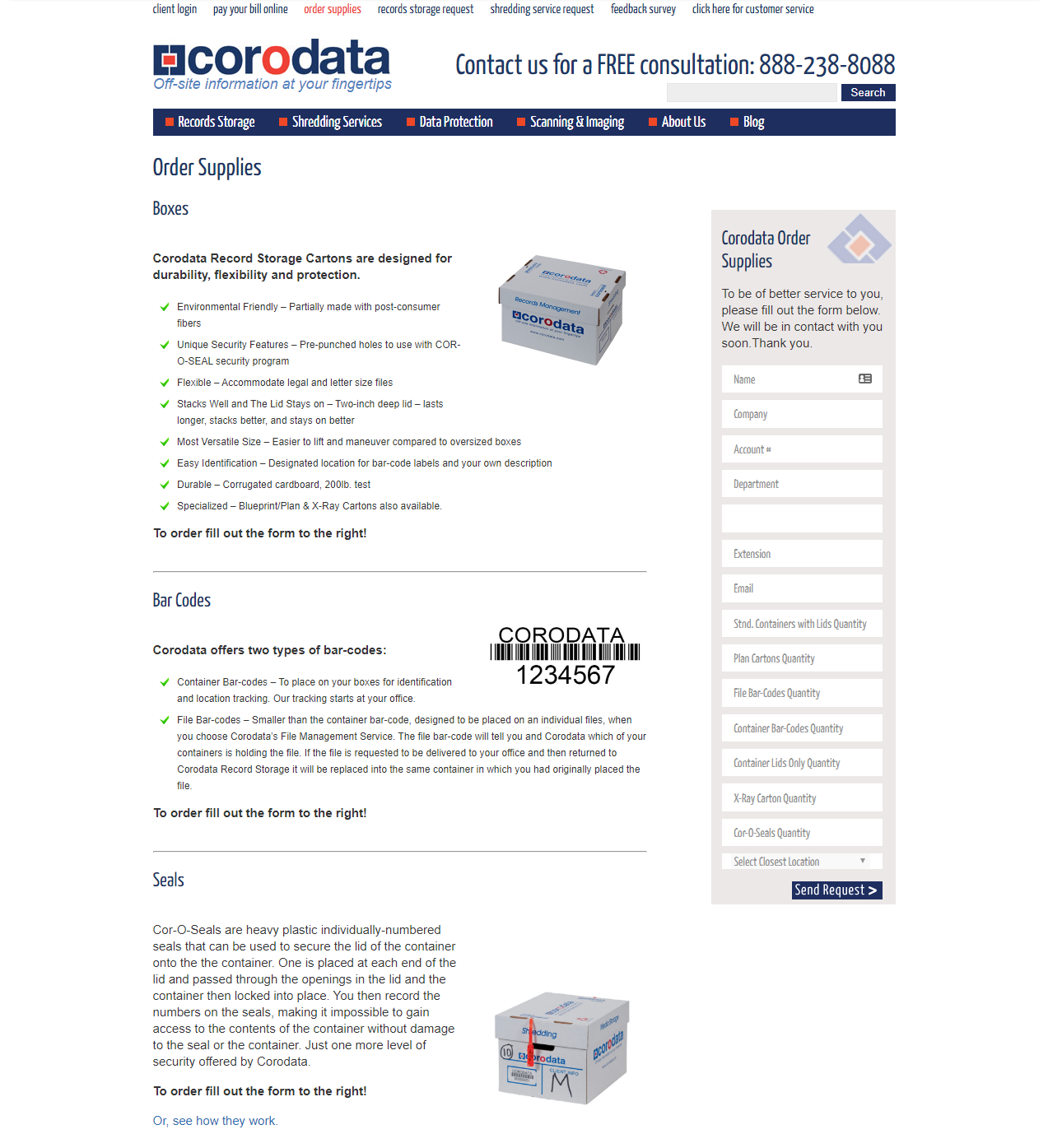
Screenshot of the old Corodata client support supplies form, showing a single long page that captures all order and account information at once, making it overwhelming and accessible to non-customers

Solution

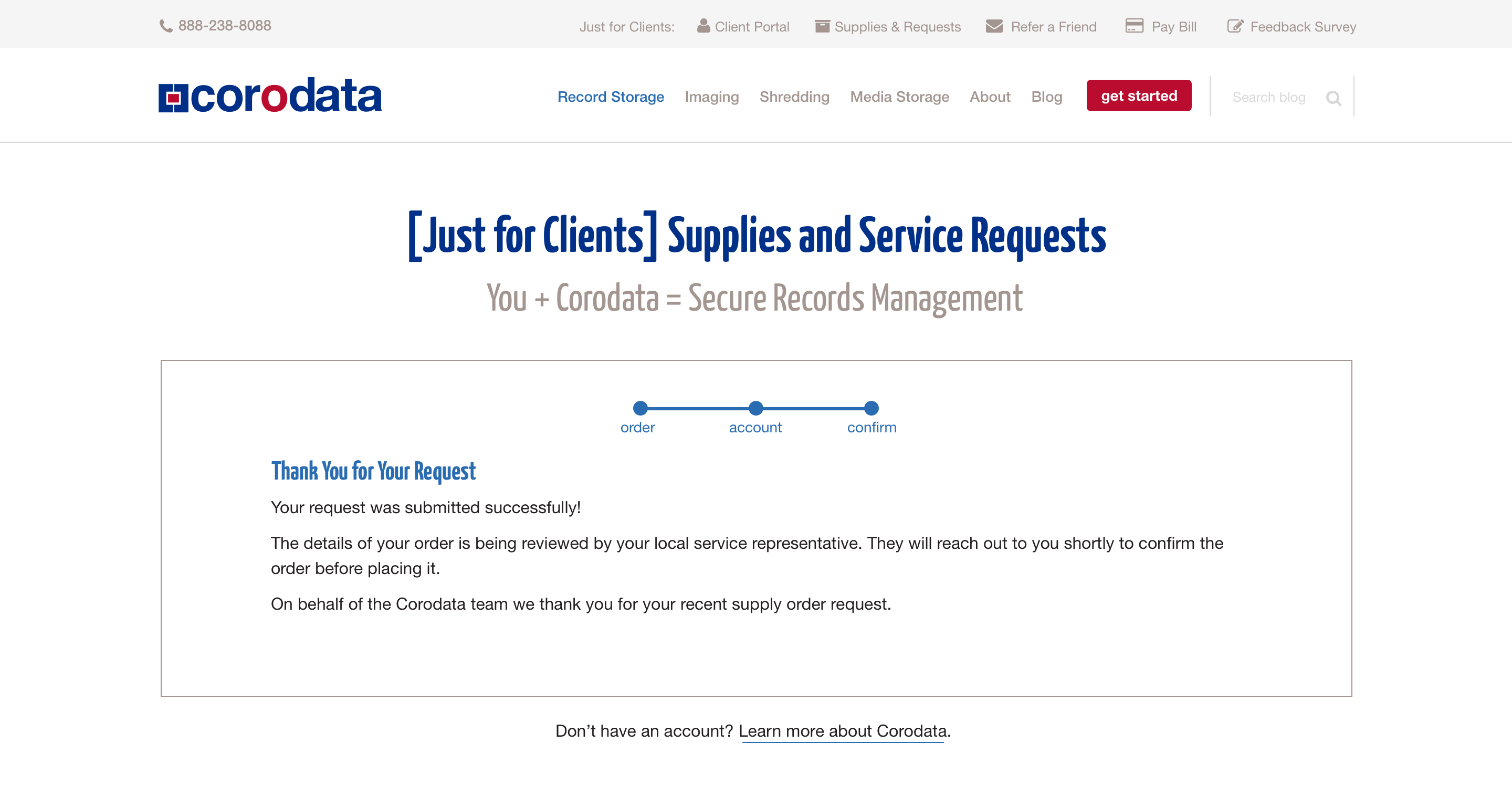
I separated the order process into three parts:

  1. Supplies required
  2. Account information
  3. Confirmation

By doing so, we allow customers to get in-depth information about supplies and services while they are submitting the form without overwhelming them.
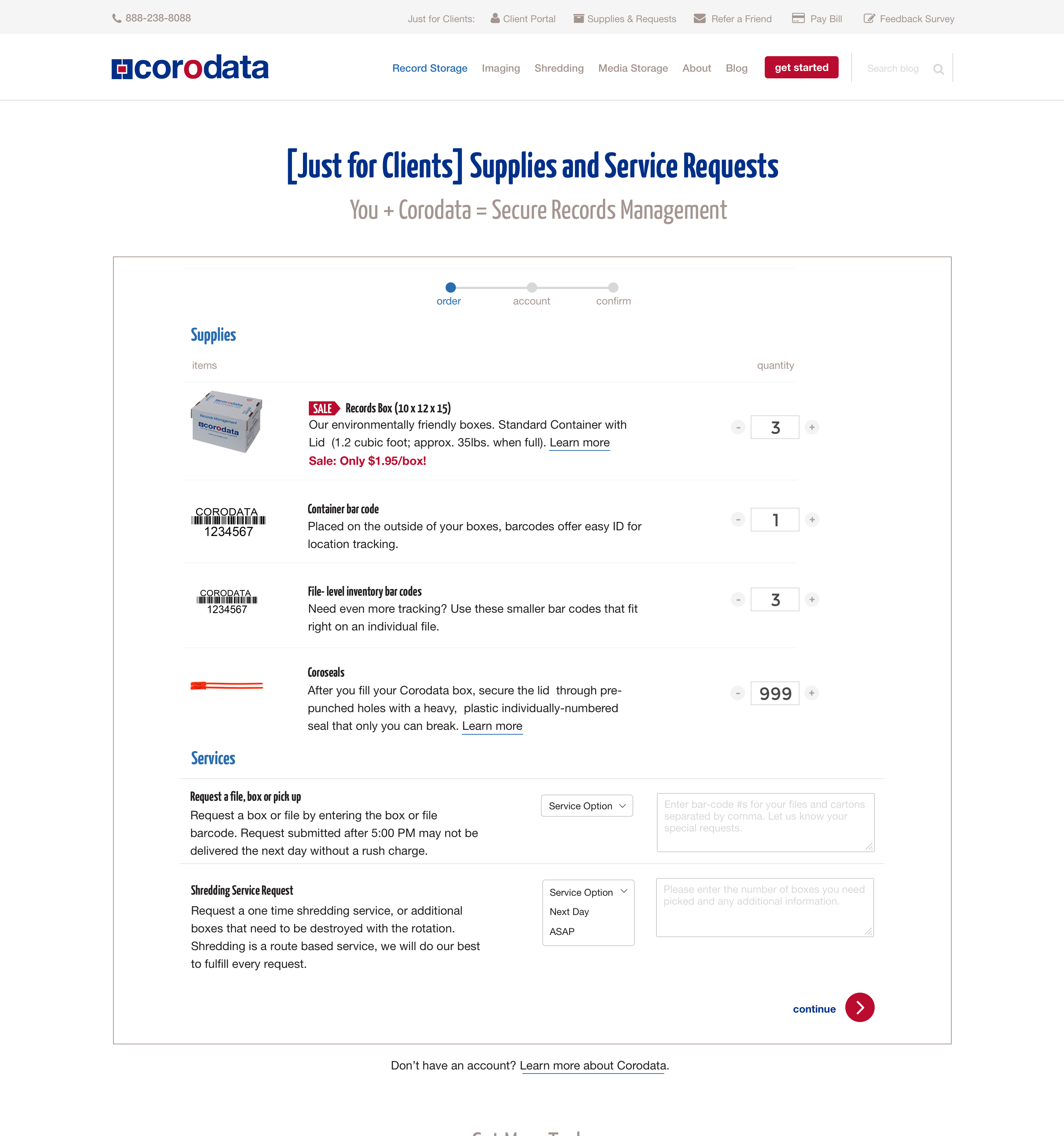
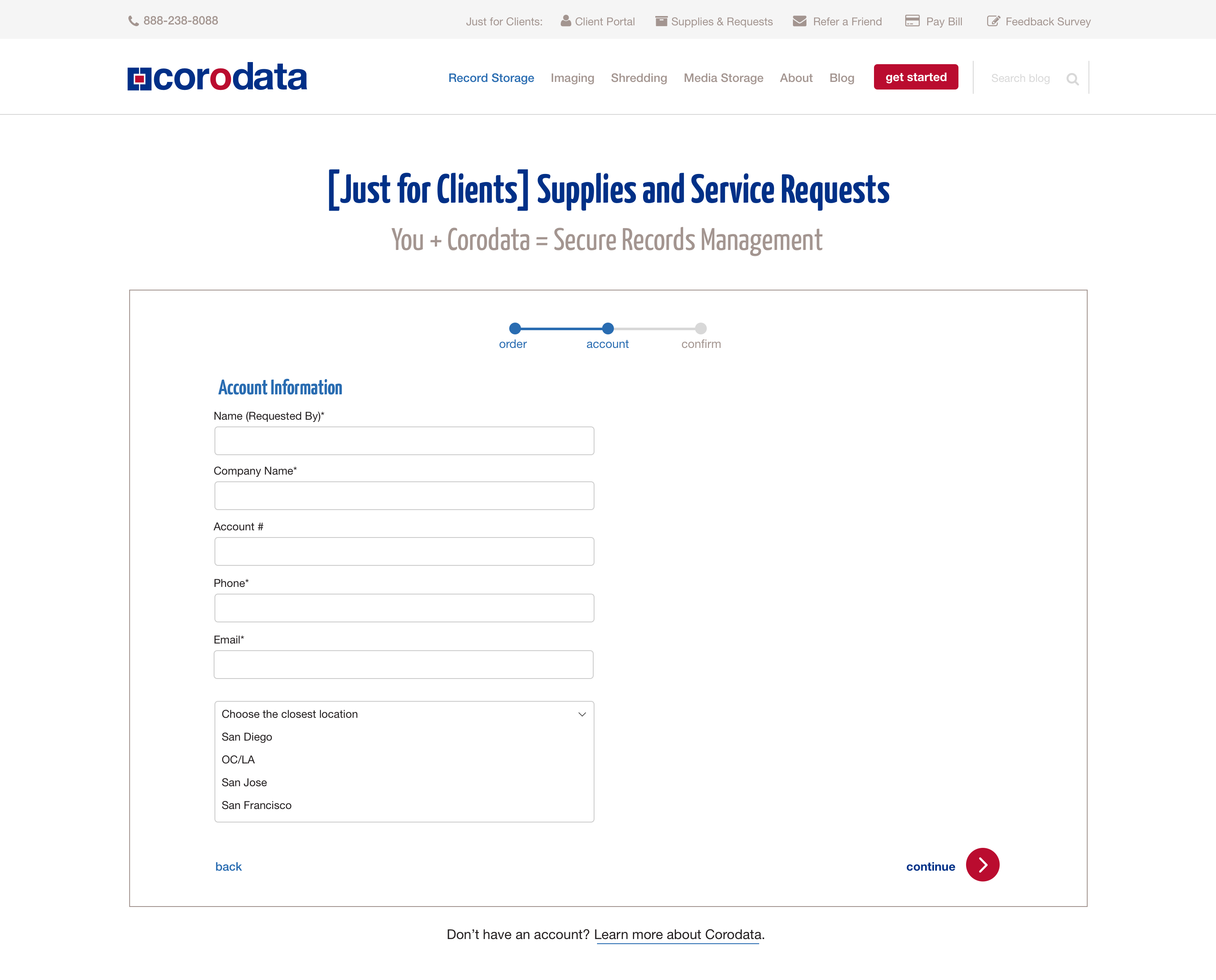
Redesigned Corodata supplies order form, step 1 of 3: supplies selection, letting customers browse product details inline while building their order Redesigned Corodata supplies order form, step 2 of 3: account and delivery information entry Redesigned Corodata supplies order form, step 3 of 3: order confirmation screen summarising the submitted request

Modular Design System

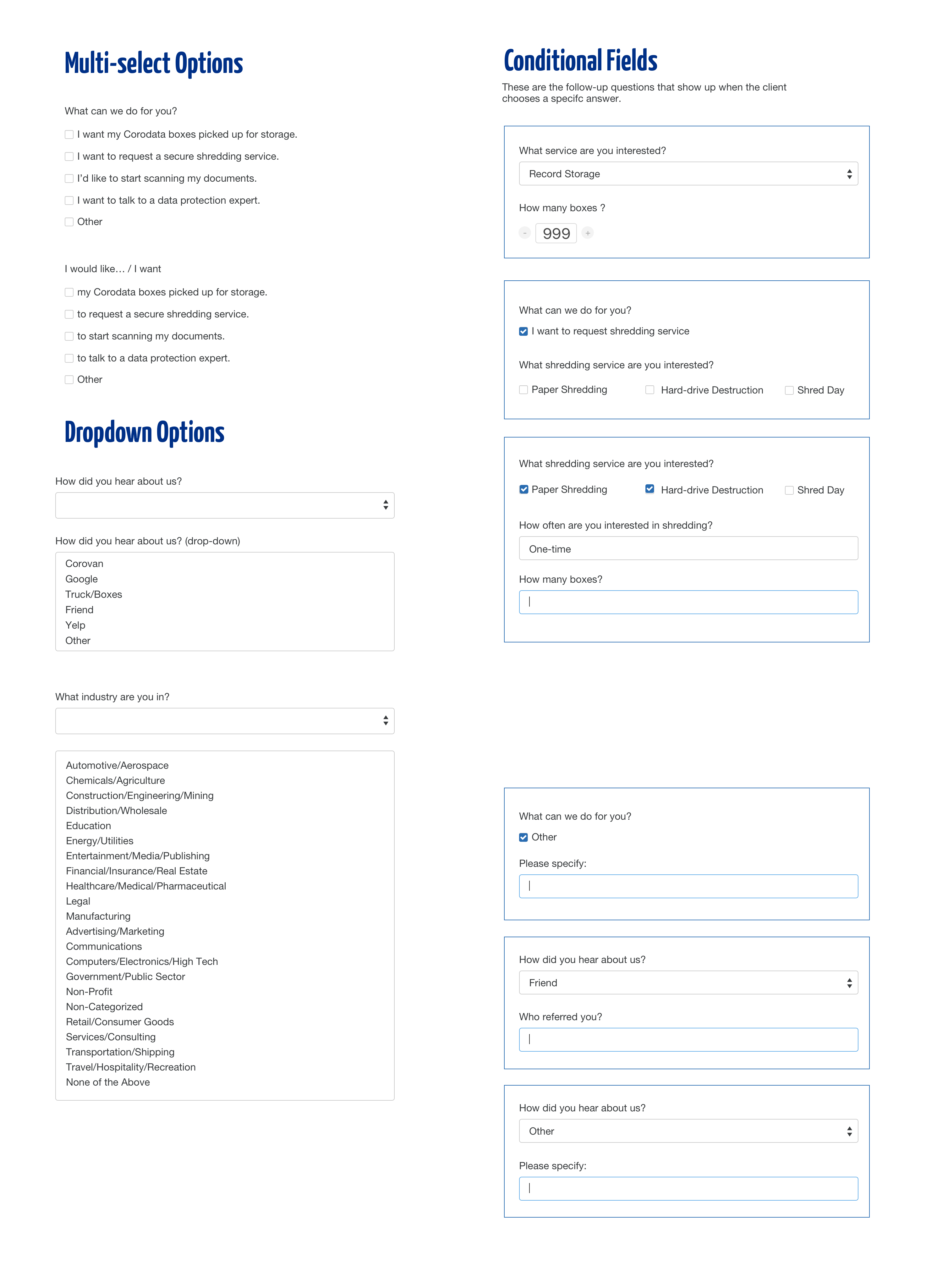
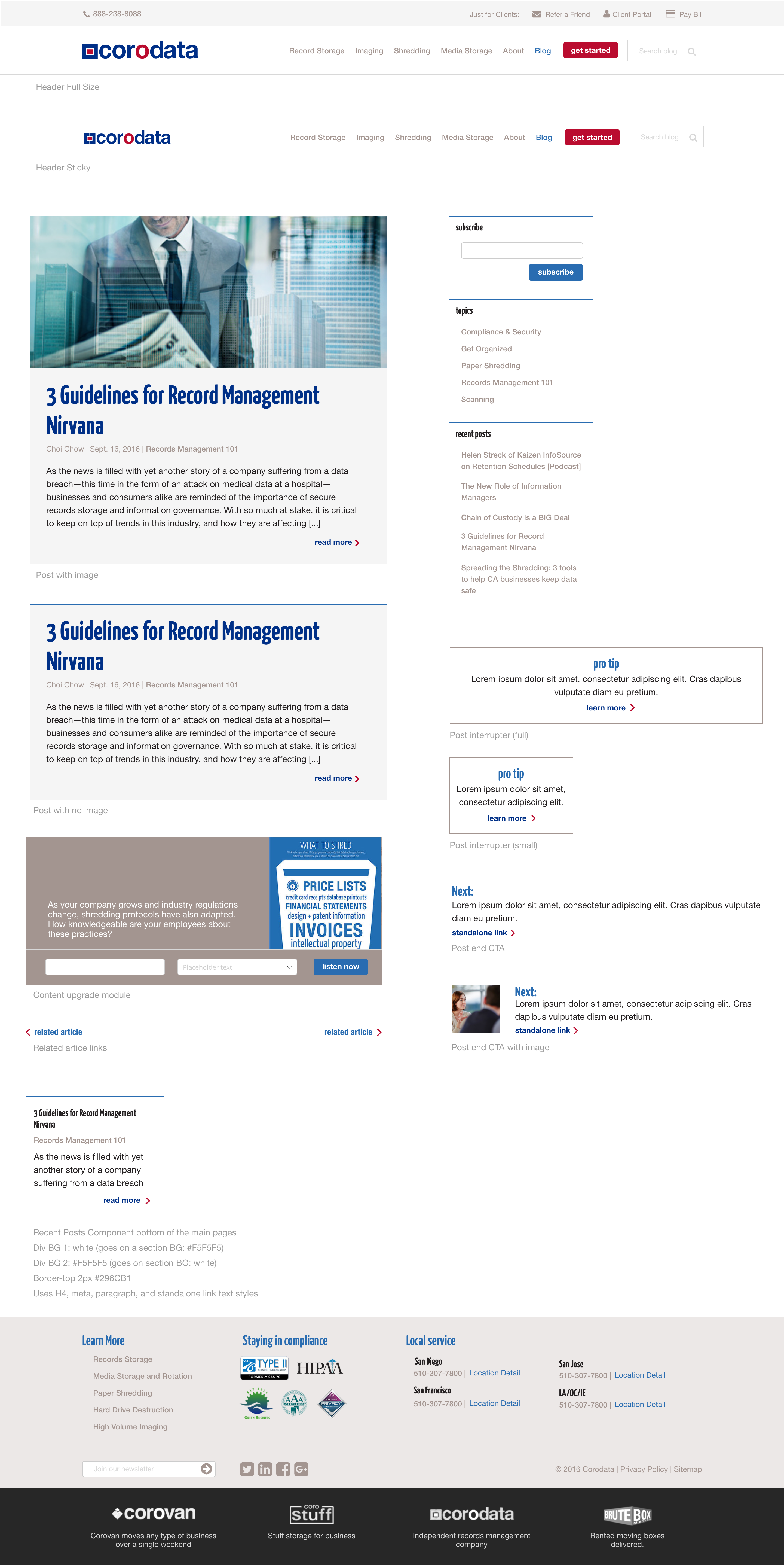
I created a style guide comprised of modular sections that the developer could use while restyling the website. I also worked with the developer to create a components page that included the elements and code snippets that their in-house marketing team/producers could use to style their blogs with.

I redesigned the header to create a clear delineation between client portal navigation.

I also created a guide for all of the components that would be used on the main site.
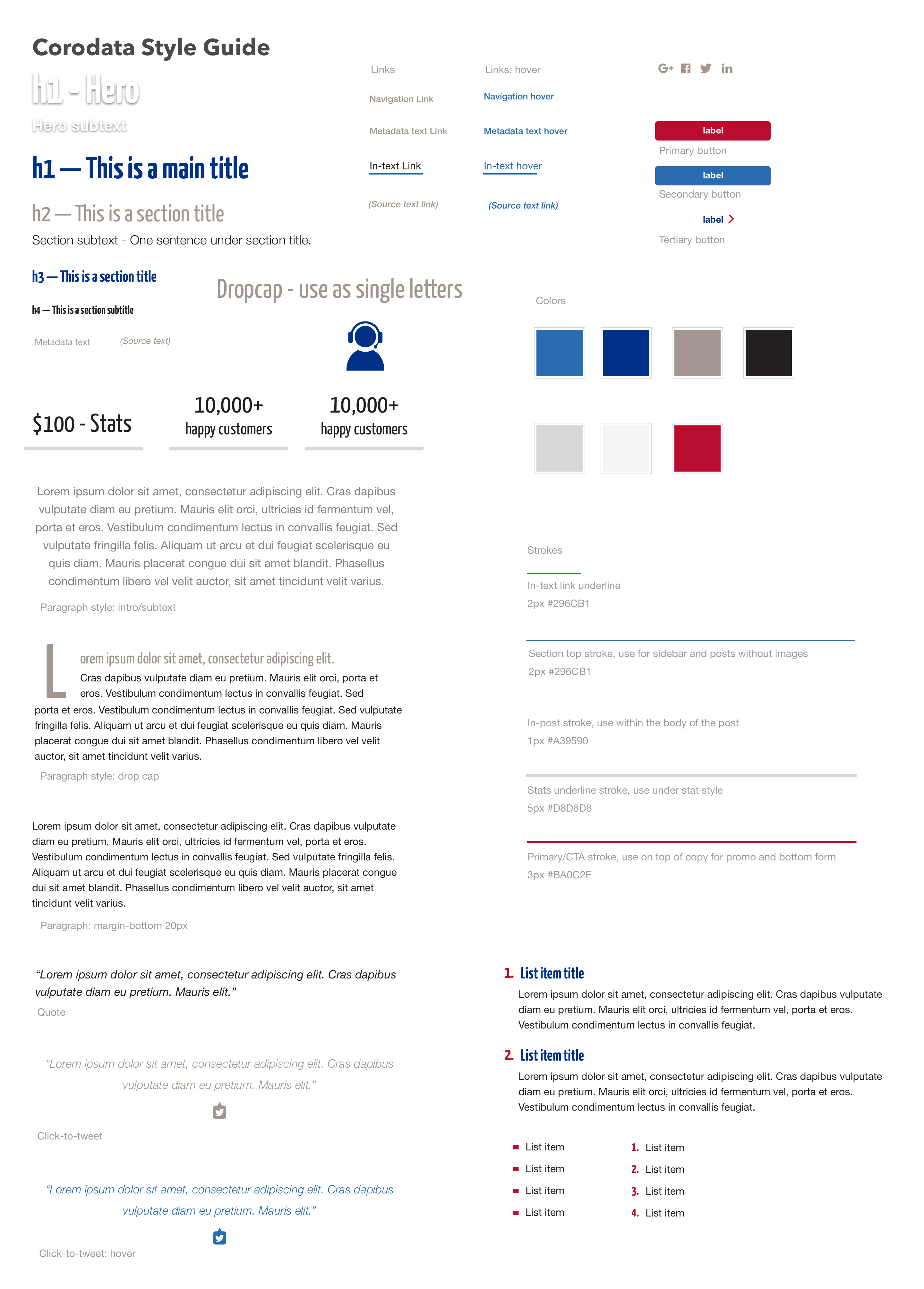
Corodata modular style guide showing the updated colour palette, typography scale, and visual design standards created for the developer to reference during the site rebuild Redesigned Corodata new prospect enquiry form showing the updated header with clear visual separation between the public site navigation and the client portal login Corodata component library documenting reusable UI elements and code snippets for the in-house marketing team to use when styling blog and landing page content

Outcome

The new design system allows the future web updates to be on-brand, cohesive, and responsive.

The redesigned forms offloaded some of the traditionally phone-based customer requests, while maintaining a level of customization and service to returning customers.

See Live Site